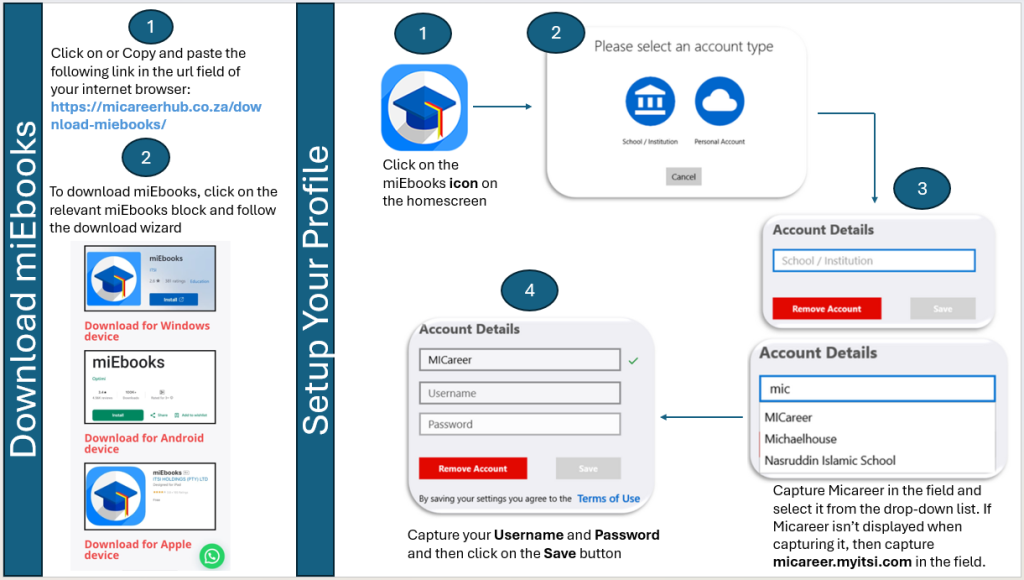
Activate your Micareer profile on the miEbooks app as follows:
Click on the miEbooks icon
Capture Micareer in the school/institution field and select it from the drop-down list. If Micareer isn’t displayed when capturing it, then capture micareer.myitsi.com in the field
Capture your username (yourname@micareer.org)
Capture your password (Sent to you via email/whatsapp)